When you first launch an e-commerce store, your navigation menu is usually the last thing on your mind. You have a few categories, a contact page, and maybe an "About Us" link. It is manageable, clean, and takes about five minutes to update. But as your business evolves, so does the complexity of how you guide your customers.
For Lotz Outdoors, growth has been a journey of expansion. What started as a focused catalog has grown into a multi-faceted resource hub. Today, my store is not just a place to buy gear; it is a community space filled with product reviews, adventure guides, and educational content.
With that growth came a significant challenge. My mega menu currently holds 339 links.
Managing 339 links manually inside a standard interface is a recipe for frustration. It is slow, prone to human error, and nearly impossible to keep consistent as seasonal trends shift. I knew I needed a better way to handle this without turning every minor update into a day-long project.
Why Navigation Matters in the Outdoor Space
The outdoors is all about the right tools for the right environment. If you are hiking the White Mountains, you need a map that is accurate and easy to read. You can see some of my own adventures in Mt. Carrigain to understand why I value clarity and preparation.
The same logic applies to a digital storefront. If a visitor arrives at Lotz Outdoors looking for a specific piece of gear or a review on something like the Fumoto oil drain valve, they should not have to fight the navigation to find it. A clean, well-organized menu helps people move between products and articles without feeling lost. It is about respect for the visitor's time and providing a seamless experience that reflects the quality of the brand.

The Solution: A Data-First Workflow
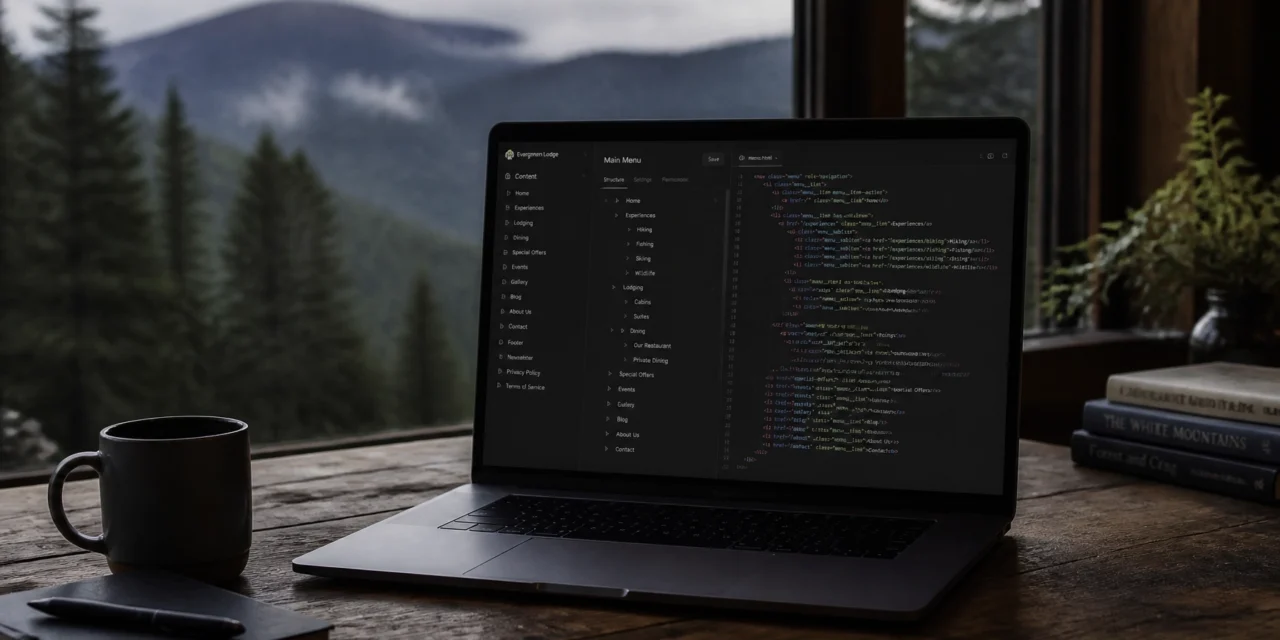
To manage a menu of this scale, I moved away from manual clicking and toward a repeatable, data-driven process. I use the Globo Mega Menu app for Shopify, which is powerful but can be overwhelming when you are dealing with hundreds of entries.
The breakthrough for me was realizing that I didn't have to edit the menu inside the app's visual builder every time. Instead, I could treat the menu as a data file. By exporting the menu structure as a JSON file, I can use modern tools to analyze and rebuild it much faster than any human could.
Here is the exact five-step workflow I use to keep things running smoothly.
1. Export the Existing JSON
The first step is to get the current state of the menu out of Shopify. Within the Globo Mega Menu app, there is an option to export your configuration. This gives you a JSON file that contains every link, label, and organizational layer currently live on the site. This file acts as my backup and my starting point. If I ever make a mistake during the update process, I can simply re-import this original file and be back where I started in seconds.
2. Review Pages and Collections via Connector
Once I have the data file, I need to compare it against the actual content on my store. I use Perplexity connectors with Shopify to read my current pages, collections, and blog posts. This is where the magic happens.
Instead of me manually checking if a link still exists or if a new category needs to be added, the connector can scan my store and identify gaps. It looks for new seasonal collections or updated resource pages that haven't been added to the menu yet. This ensures that the 339 links are not just numerous, but actually relevant and working.
3. Rebuild the Menu Structure
With the information from the connector, I rebuild the menu structure in a fresh JSON file. This allows me to move entire sections around, rename categories in bulk, and ensure that the hierarchy makes sense.
For example, if I am shifting focus from summer camping gear to fall hunting equipment, I can reorder those blocks within the JSON code much faster than dragging and dropping elements in a web browser. It provides a level of precision that is essential when you are managing such a high volume of links.

4. Import the Updated JSON
After the new structure is ready, I upload the JSON file back into the Globo Mega Menu app. The app parses the file and automatically updates the entire menu layout. What would have taken hours of manual entry is accomplished in the time it takes to click "Import."
This part of the process is incredibly satisfying. Watching a complex, 339-link menu transform and organize itself based on a structured data file feels like the ultimate "work smarter, not harder" win.
5. Test on Desktop and Mobile
The final step is always verification. A menu that looks great on a 27-inch monitor might be a disaster on a smartphone. I test the new navigation on multiple devices to ensure the user experience is consistent. I look for broken links, overlapping text, and ease of use. Only after everything passes a rigorous check do I hit the final publish button.
What This Process Solves
Beyond just saving time, this workflow solves several critical issues for a growing Shopify store:
- Consistency: When you update one section of a large menu, it is easy to forget to update another related section. A data-driven approach ensures that labels and paths are consistent across the entire site.
- Accuracy: It significantly reduces the risk of broken links. By letting a connector verify pages and collections, I know that every one of those 339 links leads exactly where it is supposed to.
- Scalability: If I need to grow the menu to 500 links next year, this process will still work. It is a system that grows with the business.
- Maintenance over Rebuilding: Instead of feeling like I have to rebuild the menu from scratch every few months, this makes navigation feel like simple maintenance.
Balancing Technology and Tradition
As someone who values family and traditions, I am always looking for ways to reclaim my time. Whether it is setting aside a monthly date night with my wife or teaching my daughters about photography, every hour saved on a technical task is an hour I can spend with the people who matter most.
Efficiency in business is not just about profit; it is about freedom. By automating the "busy work" of a 339-link mega menu, I am able to stay present in the moments that define my life outside of work.

Advice for Other Store Owners
If you find yourself spending more than thirty minutes a week clicking through your Shopify navigation settings, it is time to look at a better workflow. You do not need to be a professional developer to understand how to export and import a JSON file.
Start by finding a mega menu app that supports data exports. Even if you only have fifty links today, building a repeatable process now will save you a massive headache when you eventually hit a hundred or more.
The goal is to spend less time managing your store and more time growing it. Keep your navigation clear, keep your data organized, and never be afraid to use modern tools to solve old problems. If you have questions about how I set this up or want to share your own navigation tips, I would love to hear from you in the comments.